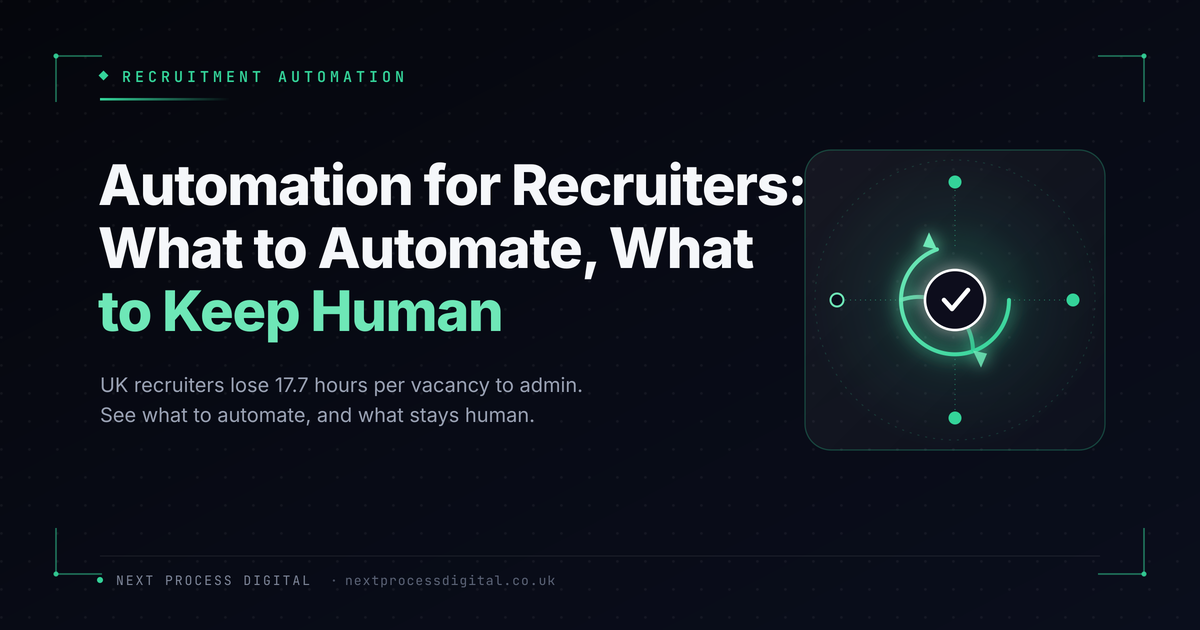
A UK recruiter spends an average of 17.7 hours on manual admin per vacancy — 3.6 hours reviewing applications, 2.5 hours scheduling interviews, and another 3 hours writing up post-interview notes, according to Totaljobs research. That’s most of a working week spent on tasks that have nothing to do with actually talking to candidates or clients. Automation for recruiters exists to claw that time back, without turning the desk into something that feels robotic to the people on the other end of it.
Short answer: automation for recruiters works best on the repetitive, low-judgement parts of the desk — interview scheduling, CV formatting, candidate status updates, and follow-up reminders — while leaving genuine conversations, screening judgement, and client relationships to a person. Done well, it recovers hours per vacancy without candidates or clients noticing anything feels automated. Done badly, it strips out the personal touch that wins placements in the first place.
Last reviewed 4 August 2026 by Wren, who build CRM and automation systems for recruitment agencies across Oxfordshire and Northamptonshire.
This isn’t just a hunch about how recruiter time gets spent. Firefish Software’s 2026 Future of the Recruitment Industry Report, citing Totaljobs research, found that UK recruiters lose an average of 17.7 hours per vacancy to manual admin — costing agencies in the region of £17,000 per recruiter annually in lost productive time. The same report found 50% of agencies are now prioritising admin automation, and a further 50% are focused on CRM and database optimisation, which tells its own story: agencies aren’t looking for more technology for its own sake, they’re looking for practical ways to get recruiters back in front of candidates and clients.
Why Admin Quietly Eats A Recruitment Desk
None of the individual tasks are complicated. Scheduling an interview, reformatting a CV into a client template, sending a status update — each one takes minutes. The problem is volume. A desk running a dozen live roles is doing all of this dozens of times a week, and every minute spent on it is a minute not spent sourcing, screening, or actually talking to someone.
The instinct is often to hire more resource to cope. The more sustainable fix is usually removing the admin itself, so existing consultants can handle more live roles without the desk feeling more stretched.
Signs A Desk Is Overdue For Automation
- Interview scheduling regularly takes several back-and-forth emails or calls per candidate
- CVs get manually reformatted into a client template for every single submission
- Candidates and clients don’t hear anything between stages unless someone remembers to update them
- Consultants can say roughly how busy they are, but not how many hours actually go to admin each week
- Growth means hiring more recruiters rather than handling more roles per person
None of this reflects a poorly run desk — it’s simply what happens by default once volume grows past what manual processes were ever designed to handle.
Picture a desk running fifteen live vacancies. At close to 18 hours of admin per vacancy, that’s over 250 hours of admin work moving through the desk at any given time — more than six full working weeks. Automating even the scheduling and status-update pieces of that can realistically hand back several hours per consultant, per week, without touching a single candidate conversation.
Want to see exactly where your desk’s time is currently going? Get in touch or call 07498 897007 and we’ll show you.
What Actually Works To Automate
- Interview scheduling — a self-serve booking link removes most of the back-and-forth, while still letting a consultant step in for anything unusual
- CV formatting — automatically reformatting into a client template rather than doing it by hand for every submission
- Candidate and client status updates — automatic notifications at each pipeline stage, so nobody’s left wondering what’s happening
- Follow-up reminders — a nudge when a client hasn’t given feedback or a candidate hasn’t replied within a set window, rather than relying on memory
- Matching alerts — surfacing existing candidates automatically when a new, relevant vacancy comes in, instead of a consultant trying to remember everyone on file
What shouldn’t be automated is just as important: the actual candidate conversation, screening judgement calls, and anything genuinely relationship-building with a client. Automating those tends to backfire, both on candidate experience and on placement quality.
Quick Reference: Manual Desk vs. Automated Desk
| Manual desk | Automated desk |
|---|---|
| Interview scheduling by email back-and-forth | Self-serve booking link, minimal admin |
| CVs manually reformatted per submission | Automatic formatting into client templates |
| Status updates sent whenever someone remembers | Automatic notifications at each pipeline stage |
| Follow-up depends on memory | Reminders trigger automatically |
| Growth requires hiring more recruiters | Existing consultants handle more roles per person |
Where Automation Meets The Rest Of The Desk
Automation only has something to work with once candidates and clients are actually coming in, which is where SEO for recruitment agencies and a properly built recruitment website come in. And everything automation captures still needs somewhere to live — the gap covered in our piece on CRM for recruitment agencies. Visibility, conversion, and automation all work together; automating admin on a desk that isn’t generating enough candidates and clients in the first place just makes an underused system faster.
What This Looks Like For Recruitment Agencies Around Bicester
Recruitment agencies working across Bicester and the wider Oxfordshire corridor are often trying to grow placement volume without simply adding headcount to cope with admin. In that environment, automating the repetitive parts of the desk is frequently what lets existing consultants handle noticeably more live roles, without the personal touch that wins placements ever disappearing. We work with recruitment businesses across this area to build exactly that kind of automation, configured around how their desks actually run.
Frequently Asked Questions
Will automation make our agency feel less personal to candidates?
Not if it’s applied to the right tasks. Automating scheduling and status updates removes friction candidates actively dislike; automating the actual conversation is where it backfires.
How much time can automation realistically save per recruiter?
Industry data suggests agencies automating admin see meaningful time-to-fill improvements, often in the region of several hours per consultant per week once scheduling, formatting, and updates are handled automatically.
Is this only worth it for larger agencies?
No — smaller desks often benefit more, since there’s no spare admin capacity to absorb the workload. A single consultant recovering several hours a week can directly translate into handling more live roles.
What should we automate first?
Interview scheduling and status updates are usually the fastest wins, since they’re high-frequency, low-judgement tasks that candidates and clients notice the friction of immediately.
Does automation replace the need for a CRM?
No, they work together. A CRM is where candidate and client information lives; automation is what acts on that information without manual effort each time.
How long does it take to set up automation for recruiters on an existing desk?
The core pieces — scheduling, status updates, follow-up reminders — can typically be running within a few weeks, layered onto an existing CRM rather than requiring a full system replacement.
If admin is quietly eating into time your consultants should be spending on candidates and clients, the fastest way to find out how much is a proper look at your current process. Get in touch or call 07498 897007 and we’ll show you exactly what’s realistic to automate first.